Mobile App

Golsbed App – Casino, Betting & Bingo on Android and iOS, now right at your fingertips

Download the official Golsbed app and play your favorite games anytime, anywhere. Fast, smooth, and fully localized.

★★★★★
4.8/5 · 100,000+ Users Android 5.0+ iOS 13+
100,000+App Download
4.8★User Rating
35 MBApp Size
FreeDownload & Install

Golsbed App What makes it different?

Mobile gaming is only truly enjoyable when the app runs fast, the design is clean, and every feature is easy to reach. The Golsbed app is built exactly that way — with Bangladeshi users in mind.

The app is optimized to run smoothly on low data, taking local network conditions into account. Live Betting and Live Casino work seamlessly even on a 3G connection.

Every feature available on the website is also available in the app — plus exclusive push notifications and app-only bonuses that are available solely to app users.

App-Exclusive Benefits

Golsbed offers exclusive app bonuses on registration or your first deposit — available only to mobile app users.

golsbed

App's Key Features

Everything the Golsbed app has to offer — all in one place.

Live Betting

Real-time odds updates, live scores, and in-play betting during matches — all in one app.

Live Casino

Live Blackjack, Roulette, and Baccarat with real dealers. HD streaming runs smoothly on mobile too.

Slots & Bingo

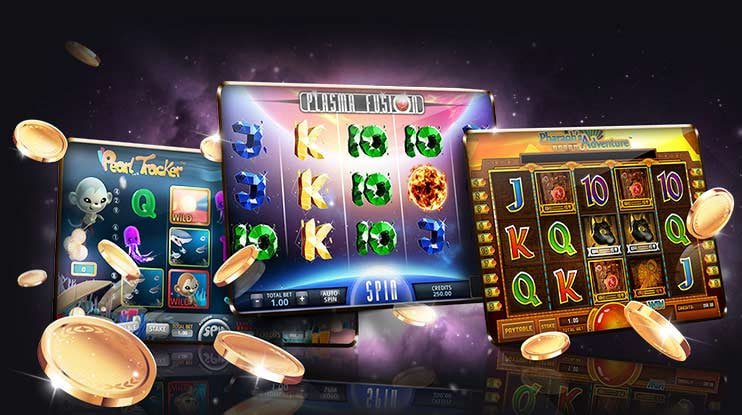
500+ slot games and Bingo rooms — loading fast whenever you want to play.

Push Notifications

Get exclusive bonuses, match reminders, and win alerts delivered straight to your phone.

Biometric Login

Log in in seconds with your fingerprint or Face ID — no password typing required.

Dark Mode & Themes

Dark mode is on by default for comfortable late-night sessions. Easier on the eyes and better for long play.

Fast Deposit/Withdrawal

Instant deposits and withdrawals right from the app via mobile banking or e-wallet.

In-App Support

24/7 live chat support directly in the app — no need to leave.

Offline Mode (Limited)

Game history and account info are available even without internet. Everything syncs once you're back online.

golsbed

On Android How do I install it?

Installing an APK outside the Google Play Store is a little different, but follow the steps below and you'll be done in under 2 minutes.

1
Log in to Your Account

Log in to the Golsbed website, or register if you're new. Then head to the app download page.

2
Update your phone settings

Go to Settings → Security → enable "Unknown Sources" or "Install unknown apps". You only need to do this once.

3
Download APK File

Download the Golsbed app APK file. At just 35 MB, it downloads in no time.

4
Install

Tap the downloaded APK file and press the "Install" button. If prompted for permission, tap Allow.

5
Log in and play!

Open the app, log in to your account, and start playing your favorite games. Don't miss the first-time app bonus.

Security

The official Golsbed APK is completely virus-free and safe. Only download it from official Golsbed channels — never from third-party sites.

On iOS How do I use it?

IPhone and iPad users have two ways to enjoy the Golsbed app. The first is to open golsbed.net in Safari and tap "Add to Home Screen" — this creates an icon on your home screen that works just like a native app.

The second option is to install via TestFlight or a direct download link. The iOS version is fully featured — just like Android — with Live Casino, Sports Betting, bingo, and everything in between.

App vs. Mobile Browser

Features Android iOS Browser
Push Notifications
Biometric Login
App-Only Bonus
Live Casino
Fast Loading Slow
Offline History
Home Screen Icon Manual
golsbed

App's Inside What does it look like?

Clean design, smooth navigation, and fast loading — that's what the Golsbed app interface is built for.

Home
Betting
Casino
golsbed

Users What They're Saying

s
Rakib*** (Dhaka)
Android
★★★★★
"The Golsbed app loads incredibly fast. I used to play on the browser, but the app is a completely different experience — odds updates in live betting are almost instant."
Su
Sumaiya*** (Chittagong)
iOS
★★★★★
"I've added it to my iPhone home screen and it looks just like a native app. Playing bingo on it feels really smooth."
Reg
Nilufar*** (Sylhet)
Android
★★★★☆
"The fingerprint login feature is genuinely useful. No need to type my password every time. Push notifications keep me updated on bonuses right when they drop."
That
Tanvir*** (Rajshahi)
Android
★★★★★
"During cricket season, the Golsbed app is open on my phone all day. I can see live scores and odds side by side. Installation was easy too."

Golsbed App Learn More

Does it work well on low data?

This is the first question many users ask. The truth is, mobile internet speeds in Bangladesh are not always consistent — sometimes you get 4G, sometimes it drops to 3G. The Golsbed app is designed with exactly this reality in mind.

Slot games are cached in the app so they don't reload every time. In Live Casino, video quality adjusts automatically to your connection — no buffering even on slower networks.

How do I get app updates?

Golsbed regularly updates the app with new games, new features, and performance improvements. Android users will receive an "Update Available" notification inside the app. iOS users can follow the reinstallation process to get the latest version.

With auto-update enabled, new versions download automatically and install the next time you open the app.

Account Security on the App

The Golsbed app offers multiple layers of account security. In addition to biometric login, you can enable two-factor authentication (2FA). Every session is encrypted and the app auto-logs out after a set period of inactivity.

If your phone is lost, you can log in from another device and remotely sign out of all active sessions. It's a genuinely useful feature, and golsbed has made it a priority.

Will it run on older phones?

The Golsbed app runs on Android 5.0 (Lollipop) and above. At least 2 GB of RAM is recommended for the best experience. On older devices, some graphics-heavy slots may run slightly slower, but betting, casino, and bingo all work fine.

Performance Tip

The app may slow down if too many apps are running in the background. For the best performance, close other apps before using it and restart your phone if needed.

System Requirements
Android Version 5.0+
IOS Version 13.0+
App Size 35 MB
RAM 2 GB+
Storage 100 MB
Internet 3G/4G/Wi-Fi
Download Now

Sign up and get started with app-exclusive bonuses.

Register Log In

About the App FAQ

Yes, the Golsbed app is completely free to download and install. There's no installation fee on either Android or iOS — just create an account, log in, and access all features.

The official Golsbed APK is completely safe and malware-free. Always download it exclusively from the official Golsbed website — downloading from third-party sites may put your security at risk.

No, it's the same account. Just log in to the app with the same credentials you use on the website. Your balance, betting history, and bonuses are all synchronized.

Yes, you can deposit and withdraw directly through the Golsbed app. Mobile banking, e-wallets, and bank transfers are all supported. Deposits are instant, and withdrawals are processed within 1–24 hours.

Yes, you can turn off notifications anytime from your phone settings. That said, we recommend keeping bonus and match reminder alerts on — some exclusive offers are only communicated through notifications.

There is live chat support built directly into the app. Go to the app menu and tap "Support" or "Help" to connect with 24/7 live chat. You can also reach support through the website as an alternative.

Golsbed App Download Today

Over 100,000 Bangladeshis are already using the Golsbed app. Come join them.

★★★★★ 4.8 Rating · Android & iOS
বাংলা